


Videohive Transitions V2 22527100 – Free Download After Effects Template
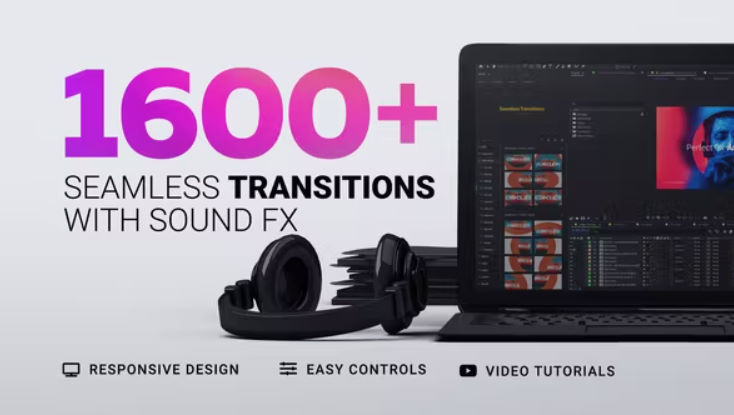
Easily make your next video more dynamic and exciting by using these seamless multipurpose and trendy transitions. Simply click on the transition preset you like and let the MYFX Extension do its magic in a single click!
Transitions also work with Adobe Premiere Pro via After Effects, using Adobe Dynamic Link. An in-depth video tutorial on how to use them in Premiere Pro is also included.
Project comes with Color & FX Controls, which helps you to change colors and other effects for each transition in a few clicks. Seamless transition presets are perfect for slideshow, opener, trailer, broadcast, music video, film, documentary, presentation, movie, promo and more..
Features
- 1600+ Seamless Transitions
- 100+ Sound FX
- Premiere Pro Support (Dynamic Link)
- Easy to Use (One-Click Method)
- Target Control
- Color & FX Controls
- 100% After Effects
- Responsive Design (Up to 4K)
- No Plugins Required
- Compatible: AE CS6+
- Customer Support
- Free Updates
- 300 Seamless Transitions
- 650 Slideshow Transitions
- 170 Glitch Transitions
- 210 Split Transitions
- 100 Bokeh Transitions
- 40 Fade Transitions
- 48 Brush Transitions
- 20 Ink Transitions
Color & FX Controls
Each transition has its unique Easy FX & Color Controler. You can easily modify each transition in a matter of seconds, even if you’re a beginner in After Effects! Video tutorial is also provided with the project, it will walk you through each element of easy controls.
Premiere Pro Support
It is now possible to use these seamless transitions in Premiere Pro via After Effects using Adobe Dynamic Link. In this workflow, you will need to have both After Effects and Premiere Pro. Video Tutorial on how to use transitions in Premiere is also provided with the project.
💬 Comments
0 commentsNo comments yet. Be the first to comment!
You must log in to comment.