


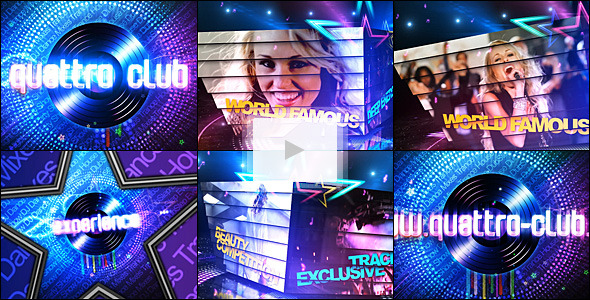
Free Download Disco/Party Promo. Create electrifying intros with this high-energy disco promo template, perfect for nightclubs and stylish promos. Fully editable in After Effects, it offers dynamic action, customizable elements, and requires no plugins. With 35 text holders and 14 video/image slots, importing your content becomes effortless. Ideal for crafting a vibrant club atmosphere, this tool simplifies your promotion needs. Get ready to capture attention and boost your party’s vibe!
Overview of Disco/Party Promo
This disco party promo template brings an electric atmosphere to your intros, ideal for nightclubs and stylish promotions. Featuring full customization through After Effects, it lets you change everything from camera moves to design elements without needing additional plugins. Enjoy dynamic action with 35 text holders and 14 video/image slots, perfect for personalizing your content. The project provides a pre-rendered version using popular plugins like Trapcode Particular and VC Optical Flares, making your editing process smooth and straightforward. A helpful video tutorial guides you through customization, ensuring you can easily import your content and update titles.
Features of Disco/Party Promo
- Ultra high energy template, ideal for nightclubs and stylish promos.
- 100% After Effects integration for full customization—adjust camera moves, design, and more.
- No plugins required; includes pre-rendered effects for ease of use.
- Features created using Trapcode Particular, Form, Horizon, and VC Optical Flares.
- Dynamic action included to create a vibrant club atmosphere.
- Provides 35 text holders for unique titles and 14 slots for videos or images.
- Simple editing process: import images or videos and change titles easily.
- Comes with a video tutorial for seamless customization.
- Includes a link to the font used and a fantastic soundtrack available on AudioJungle.net.
- 65 seconds in duration, offering a concise yet impactful promo.
How to use Disco/Party Promo
1. Open After Effects and import the Disco/Party Promo template.
2. Double-click the main composition to begin editing.
3. Navigate to the Text Holder composition and replace placeholder text with your desired titles. There are 35 text holders available.
4. Import your images or videos and place them in the Video/Image Placeholders composition. You have 14 slots to fill.
5. Adjust camera moves or design elements within the main composition for a personalized touch.
6. Use the pre-rendered effects provided, eliminating the need for additional plugins.
7. Preview your changes to ensure all edits appear as desired.
8. Export the final composition using your preferred settings. A video tutorial included in the project can assist with any questions.
9. Add the accompanying soundtrack from AudioJungle.net if desired. Enjoy your vibrant promo!
💬 Comments
0 commentsNo comments yet. Be the first to comment!
You must log in to comment.