


Lowepost – Color Management Workflow In Davinci Resolve
We continue our DaVinci Resolve 17 training with a new high-end course in Color Management Workflow. This is an intermediate course for colorists and visual effects artists taught by our instructor Lee Lanier.
In this training series you will learn to work with both display-referred and scene-referred management including ACES, applying DRTs with SDR and HDR projects, using DaVinci Wide Gamut, matching camera profiles with color space transforms, DCTLs and Cinematch, how to set up your projects for multiple color space outputs, RED IPP2 and RAW workflow, how to use the Gamut tool, LUTs, CSTs and OpenColorIO in Fusion, an overview of the Colorspace Aware Tools and much more.
The DaVinci Resolve project files and footage are available for download so that you can easily follow along.
Lee Lanier has created visual effects on numerous features films for Walt Disney Studios and PDI/DreamWorks. Lee is a world-renowned expert in the video effects field, and has written several popular high-end software books, and taught at the Gnomon School of Visual Effects in Hollywood.
- Colorists
- Visual effects artists
- L01: Introduction
- L02: Color terminology and workflow overview
- L03: Display referred vs scene referred
- L04: Display referred space and LUTs
- L05: Adding LUTs and DCTLs to resolve
- L06: Matching cameras with an OFX plug-in
- L07: Mixing camera footage in display referred
- L08: Color management in Fusion
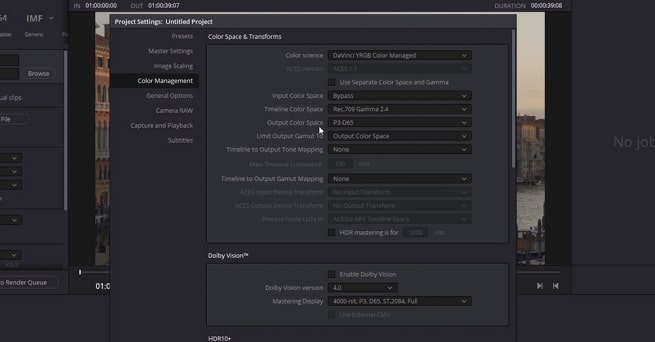
- L09: Resolve color management
- L10: Working with ACES
- L11: RCM and ACES with Fusion
- L12: Adding color transformations in Fusion
- L13: Using opencolorIO
- L14: Matching cameras with Cinematch
- L15: Switching the RCM wide gammut
- L16: Setting up HDR in RCM and ACES
- L17: Using color scopes with SDR and HDR
- L18: Working with colorspace aware tools and HDR grade
A free version of DaVinci Resolve or DaVinci Resolve studio
💬 Comments
0 commentsNo comments yet. Be the first to comment!
You must log in to comment.