


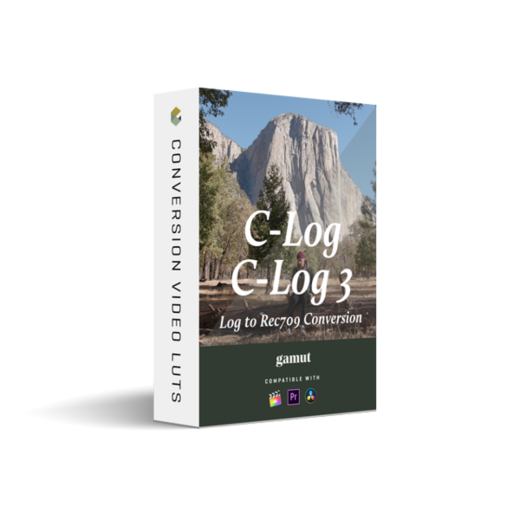
We developed our own custom Canon Log and Canon Log 3 Conversion LUTs that have great retention in the highlights, well-balanced saturation levels, and an accurate colorimetry response for consistent results. These are technical LUTs designed to give your footage the best accurate starting point before adding any creative LUTs to the mix. These will be your new favorite go-to Conversion LUTs!
Gamut – Canon Conversion LUTs for C-Log / C-Log 3 Settings:
When filming in C-Log or C-Log 3, use these settings for optimal results:
(settings may vary by camera)
- – Canon Log = ON
- – Color Matrix = Neutral
- – Color Space = BT.709 (or Cinema Gamut if not an option)
- – Gamma = Canon Log or Canon Log 3
- – HDR-PQ = OFF
- – Highlight Tone Priority = OFF
- – Picture Style = OFF
Designed for 10bit Recording. For filming in Log profiles, choose either Cinema Gamut or BT.709 (Rec.709) for the Color Space. If Color Matrix is an option, choose Neutral for the most accurate color reproduction.
Canon C70 Settings
– Canon Log = ON
– Color Matrix = Neutral
– Color Space = C.Gamut
– Gamma = Canon Log 2
– Picture Style = OFF
Canon R5, R6 Settings
– Canon Log = ON
– Color Matrix = Neutral
– Color Space = BT.709
– Gamma = Canon Log 3
– HDR-PQ = OFF
– Highlight Tone Priority = OFF
– Picture Style = OFF
Canon C200 Settings
– Preset = OFF
– Gamma = Canon Log 3
– Color Matrix = Neutral
Canon 1DX Mark III Settings
– Canon Log = ON
– Color Matrix = Neutral
– Color Space = BT.709
Designed for 8bit Recording. For filming in Non-Log profiles, choose a neutral based profile for an optimal starting base.
Canon C70 Settings
– Canon Log = OFF
– Color Matrix = Neutral
– Color Space = BT.709
– Gamma = Wide DR
– Picture Style = OFF
Canon R5, R6, 1DX Mark III Settings
– Picture Style = Neutral
– Canon Log = OFF
– HDR-PQ = OFF
– Highlight Tone Priority = OFF
Canon C200 Settings
– Preset = OFF
– Gamma = Wide DR
– Color Matrix = Neutral
💬 Comments
0 commentsNo comments yet. Be the first to comment!
You must log in to comment.