Today we bring you Danny Gevirtz – 4K Film Mattes with free download links.
Remember, on this website you will find lots of premium resources like Courses, Motion Graphics Templates,
Photoshop Actions, Fonts, Luts, Sounds, Mockups, VFX, Overlays, Plugins, Presets, Bundles and much more.
FrameVault
is a handy audiovisual content provider that helps beginner video editors and graphic designers as well
as freelancers who can’t afford high-cost editing assets.
Guest Users can download without limits from Sources like Envato and MotionArray, while
Premium Members can download without limits from 65+ Sources like
Tropic Colour, Acidbite, Boom Library, Blindusk, Triune Digital, MotionVFX and more.
This stuff works with ALL NLE Programs
You can adjust the height and width of the mattes with the “transform” effect in Adobe Premiere, once the matte is on your timeline.
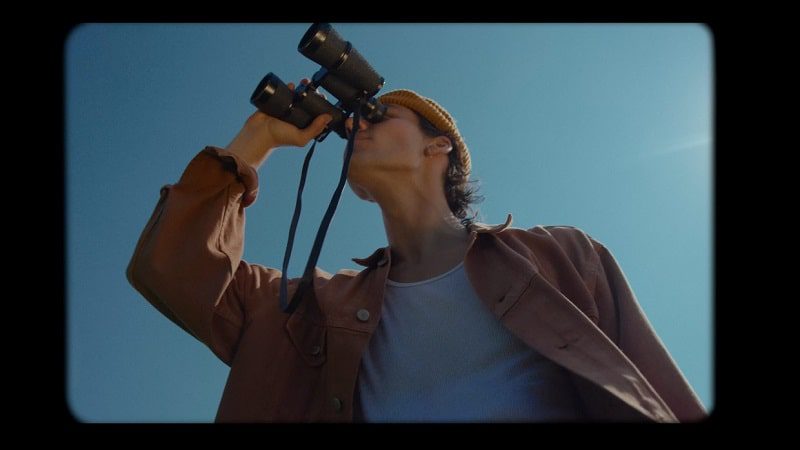
When using the Binocluars matte, place over top of a clip. Then with the Binoculars Matte selected on your timeline, go to ‘effect controls’– under ‘opacity’ go to ‘blend mode’— select ‘darken’.
Files include in Danny Gevirtz 4K Film Mattes is 3 mattes designed by myself. One Wide Screen Matte, one Full-Screen Matte, and my Binoculars Matte.
We don't own these files*. All files are hosted on third party websites.
Everything is obtained through forums, chat servers for leaked content or other websites like this.
Please note that this doesn't grow on trees, so if something really works for you please support the real
author and you will be able to use this for commercial purposes and sell your work!
We don't sell these files*. FrameVault isn't done by magic either. Our Premium Members make it possible to
keep the website up and running. We simply provide you access to test these high-end assets before you finally
purchase a license.
If you are the author, please go to the
DMCA page
and request removal.


💬 Comments
0 commentsNo comments yet. Be the first to comment!
You must log in to comment.